Turn customer photos into a giveaway
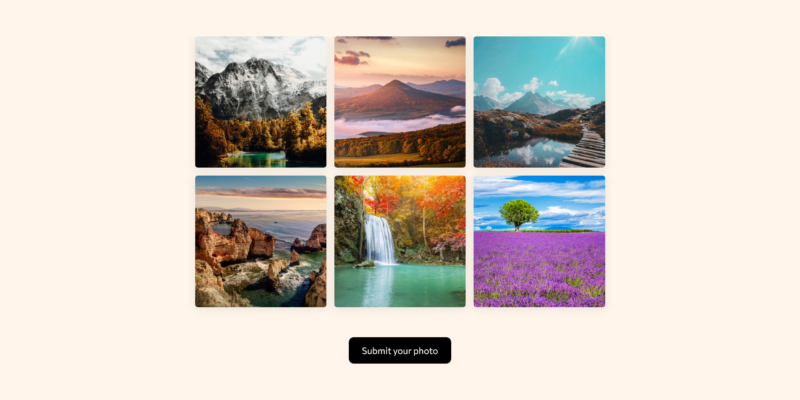
A favorite outfit, a newly decorated room or a product that’s become part of someone’s daily routine can give other customers a useful glimpse of what you sell. This template invites customers to share those moments by uploading a photo to enter a random prize draw.
Use it for a product launch, a seasonal promotion or an ongoing customer appreciation campaign, with a prize such as store credit or a product bundle that fits your audience.
Collect the photo and the story behind it
The form collects a customer’s photo, contact details and the product shown, with room for a short description. Adapt the questions to your business, whether you want to know how someone styled an item, what they made with it or why they chose it.
If you plan to feature submissions in your marketing, include a separate photo usage permission field with a link to the relevant terms. Both those terms and the giveaway rules can open in a popup, allowing customers to read them without leaving their entry.
Keep customers informed from entry to prize draw
Personalize the confirmation message with the customer’s name and send an automatic email confirming their entry, including the closing date and how the winner will be contacted. You can also notify your team when a photo arrives, making it easier to review submissions throughout the campaign.
For customers who choose to receive marketing emails, connect your email service and use conditional logic to send only opted-in contacts to your mailing list.
Once entries close, review submissions against your giveaway rules and use Woorise’s random winner selection to draw from eligible entries. Keep the submitted photos and their permission records together when choosing content to feature.
How it works
- Click Use Template to add the Customer Photo Giveaway to your Woorise site.
- In the Create tab, add your product images, prize, closing date and giveaway rules.
- Open the Form tab to adjust the upload field, product questions and permission checkboxes.
- Customize Confirmations and Notifications, and connect your email service if you want to collect newsletter signups.
- Publish the page and use the Share tab to distribute the link or embed the giveaway on your store.
- Review submissions in the Entries tab and select a random winner from eligible entries after the giveaway closes.
Frequently asked questions
That’s the starting idea for this template, but you can change the brief. A homeware shop might invite room photos, while an outdoor brand could ask for customers’ favorite adventure shots. Make the photo requirements clear in your instructions and giveaway rules.
No. This template collects entries without displaying a public gallery. If you want to showcase customer photos, add a Gallery block and enable manual approval so you can review each submission before it appears.
Yes. Use submission limits based on an email address or IP address to control repeat entries. You can allow one entry for the whole giveaway or set a recurring limit, such as one entry per day, depending on your rules.
Yes. Customers can open the giveaway on their phone and upload a photo from their device without installing an app. Keep the form short and the upload instructions clear to make entering easy on mobile.
Yes. Enable Referral Share to give participants a unique referral link and award bonus entries when friends follow that link and complete the entry form. Explain the bonus entry rules in your giveaway terms; sharing the link alone doesn’t earn an extra entry.