
Check Request Form Template

Use the Check Request Form to manage financial requests efficiently, ensuring transparency and accountability in transactions for businesses of all sizes.

Check Request Form  Template

Manage financial requests effectively

The Check Request Form is a critical tool for businesses to request and approve funds for various purposes like purchases, bills, or donations. Designed for finance departments, it enhances transparency and accountability in financial transactions.

Commonly used by accountants and finance teams, this template benefits businesses by simplifying the request and approval process. It helps track expenses efficiently, ensuring funds are allocated correctly and financial operations run smoothly.

Customize the Check Request Form using Woorise’s drag-and-drop builder. Add fields like request type, amount, and approval signatures. You can include dropdowns, text fields, and checkboxes to capture all necessary details.

Take advantage of Woorise features like integration with apps for data transfer and automation. After submission, collect e-signatures with Woorise Sign to ensure security and compliance in your financial processes.
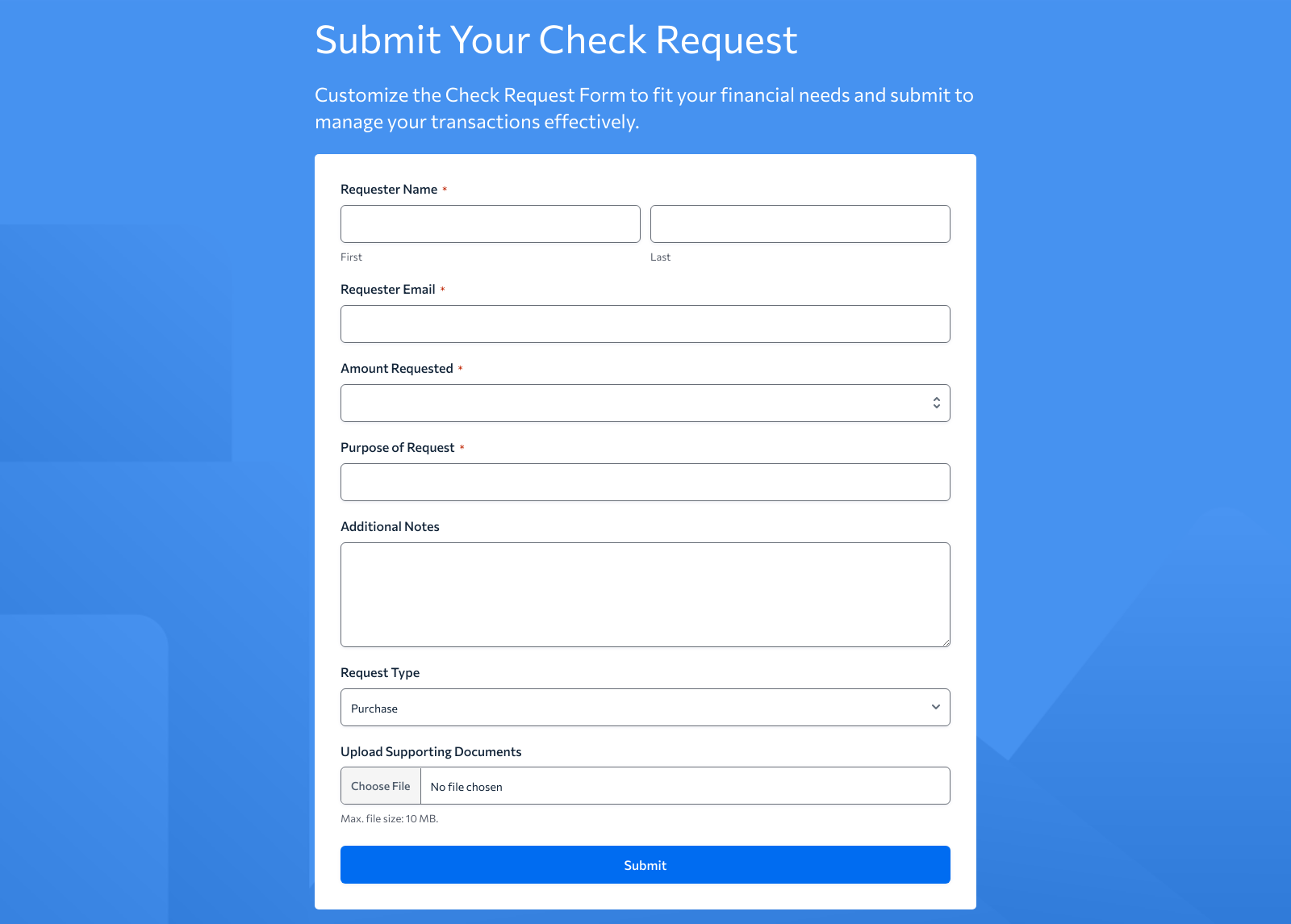
Check Request Form Template with fields for date, amount, requester details, and approval buttons for financial management.
The Check Request Form Template simplifies financial requests, promoting transparency and accountability for businesses handling transactions.

Check request form template FAQs

What is the Check Request Form and what does it do?

The Check Request Form is used by finance departments to request funds for purchases, bills, or donations. It ensures transparency and accountability, helping businesses manage financial requests efficiently.

Can you give examples and use cases for a Check Request Form?

Examples include requesting funds to pay a supplier, cover employee expenses, or make charitable donations. It's commonly used by accountants in businesses of all sizes to manage financial transactions.

Can I host the Check Request Form on a custom domain or subdomain?

Yes, Woorise allows you to host the Check Request Form on a custom domain or subdomain, providing a professional look and feel that aligns with your business branding.

What are some common mistakes to avoid with a Check Request Form?

Avoid omitting essential fields like approval signatures or request details. Ensure the form is clear and concise to prevent confusion and delays in the approval process.

Can I apply conditional logic to show or hide fields dynamically?

Yes, Woorise supports conditional logic, allowing you to show or hide fields based on user responses. This feature helps tailor the form to specific request types or approval paths.

Can the Check Request Form collect e-signatures?

Absolutely, Woorise Sign enables you to collect e-signatures on the Check Request Form, enhancing security and compliance in your financial transactions.

Join more than 80,000 brands using Woorise

Easily create landing pages, forms, surveys, quizzes & viral giveaways that drive real user engagement.

Use this template