Viral Share is a highly recommended feature to increase sharing and participation on your campaign.
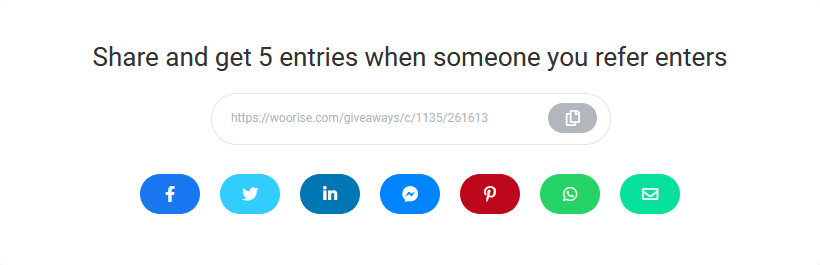
Bonus entries are tracked via a unique URL given to a user who has entered your campaign. After they enter, they get the link which they can copy, or they can use the share buttons.
In this article
Viral Share Options
Bonus entries
By setting a number for bonus entries will enable Viral Share. For example if you set it to reward 5 bonus entries, the user who shared the URL will get 5 bonus entries for every entrant.
Note that a simple share is not enough. Bonus entries are rewarded only if users click and enter from the shared link.
Limit total bonus entries
You can set a number to limit the total number of bonus entries an entrant can reach. Leave it blank for unlimited bonus entries.
Share buttons
The share buttons are customizable, so you can pick and choose which buttons you’d like displayed. By default all share buttons are displayed.
Description
Here you can customize the main heeding of the Viral Share box.
Email message
Customize the default message that will show up when users click to share via email.
Twitter text
Customize the text for the Tweet button. By default the campaign’s title and URL will be shared.
Domain
The default domain for Viral Share link is woorise.com. Here you can pick a different non-branded short domain.
Entries Columns
When Viral Share is enabled the following additional columns become available in the Entries page.
Referrals
The Referrals column shows the number of referred users. The Referrals column is also useful if you want to reward someone for referring the most people or reward those who refer at least X amount of people.
Worth
In the Worth column you can see how many bonus entries a user has collected. The higher the number the more chances they have to win when you picking winners.
Referred by
In the Referred by column you can see the entry/user who referred this entry.
If the columns are not visible please click the gear icon on the right and drag and drop the columns from the left to right to activate them.